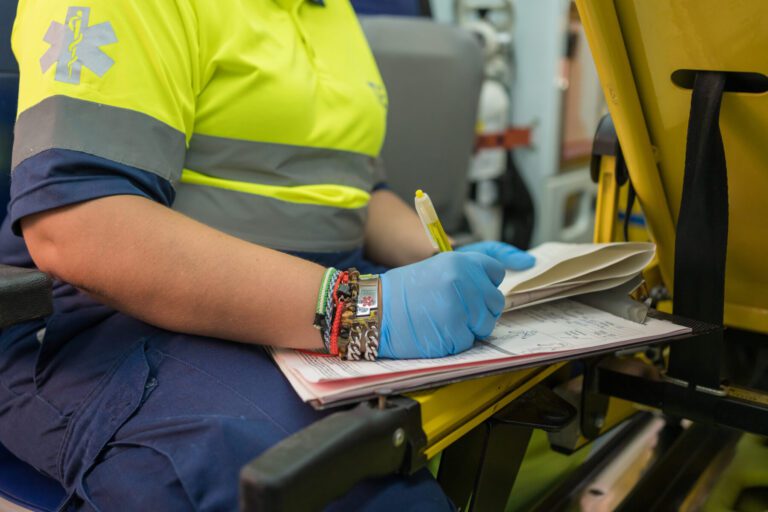
If you’ve ever worked a shift in EMS or fire service, you know how documentation goes: you navigate chaos on the scene, provide life-saving care, and then sit down to document every detail of the call in what feels like an endless stream of clicks, drop-downs, and double-checks.
Why does EMS and fire documentation take so long? Ask most crews, and they’ll point to the same lineup of usual suspects: repetitive data entry, chasing missing details, narrative writing, and manual input from devices, all while struggling with tools that aren’t built for real-world conditions. It’s no wonder that documentation frequently shows up as a top frustration for providers.
In this first blog in a three-part series, we’ll break down the most common causes of these documentation delays, explain why they persist, and explore emerging solutions like automation and AI that help providers focus on patient care, not paperwork.
The Usual Suspects: Charting EMS & Fire System Inefficencies
Some documentation challenges are so universal that most crews barely question them anymore, instead viewing them as just “part of the job.” But recognizing these time sinks is the first step toward streamlining workflows and getting providers back to patient care faster. Here are some of the most common documentation bottlenecks:
1. Repetitive Data Entry
Does this sound familiar? You’ve just treated a patient, and now you’re typing their date of birth, address, and other details into a report (often not once, but multiple times). For calls involving repeat patients or predictable workflows (like refusals or interfacility transports), this duplication can feel like overkill.
Why It Happens: If your system isn’t integrated with CAD (Computer-Aided Dispatch) data or equipped with features like templates and auto-fill, you’re stuck manually entering the same information again and again.
2. Hunting for Missing Details
Even the best providers occasionally miss something while rushing through a report. Was the patient’s treatment properly documented? Were their vitals recorded correctly? What about medication dosages? Finding and fixing these gaps eats up valuable time.
Why It Happens: Nearly every crew has faced this: You thought you were done, but missing or incorrect data means you have to pore through the reports to see where you went wrong. Without intuitive workflows or prompts, providers spend more time chasing errors than actually avoiding them in the first place.
3. Manual Entry from Devices
Gathering vitals from patient monitors, scanning medication labels, or reading handwritten facility forms can be tedious when it all has to be entered manually into the ePCR. For example, if your EKG readout doesn’t automatically sync with your reporting platform, you’re stuck transcribing it field by field.
Why It Happens: Not all systems are set up to integrate device data or leverage tech like Optical Character Recognition (OCR). Instead, providers fall back on typing every bit of information themselves.
4. Laggy or Unoptimized Platforms
Nothing grinds a report to a halt like a system that’s slow to load or hard to navigate. For responders in the field (often working in poor lighting, fast-moving scenarios, or areas with spotty Wi-Fi) a system that doesn’t adapt to real-world conditions can leave them staring at a screen longer than necessary.
Why It Happens: When documentation platforms aren’t designed with mobility, connectivity challenges, or ease of use in mind, every step takes longer. Crews frequently encounter clunky interfaces, multiple redundant clicks, or systems that don’t sync seamlessly.
How Technology Can Help Crews Reclaim Their Time
Even small documentation process improvements can make a massive difference in keeping providers focused on what really matters: their patients. Here are five ways agencies are using technology to reduce the most common documentation bottlenecks.
1. Automated Data Input
CAD integrations and features like AI Assist can pre-populate patient and dispatch data automatically, so providers aren’t wasting time on repetitive entry. AI Assist, for example, even allows crews to scan in driver’s licenses, medication labels, and face sheets to save valuable minutes.
2. Validation and Workflow Management
Modern platforms improve accuracy in real time by flagging missing fields right away, saving providers from hunting for them later. Plus, configured workflow solutions guide documentation step-by-step through protocols, so nothing is overlooked.
3. Fast and Guided Narratives
AI-powered shortcuts populate the key bullet points of a narrative, allowing providers to build out reports with suggested phrasing or section outlines. Dictation tools like voice-to-text simplify capturing detailed run narratives while on the move.
4. Device Integrations to Reduce Manual Entry
From pulling EKG data directly into the ePCR to integrating monitor vitals in real time, technology eliminates the burden of manual entry. Advanced OCR capabilities make it easy to scan handwritten notes, medication labels, or facility sheets for hassle-free documentation.
5. Mobile-Friendly Tools That Work Anywhere
EMS documentation often happens on dark roadsides, in moving ambulances, and under chaotic conditions. Platforms built for mobility, offline functionality, and intuitive use (like ImageTrend Elite) eliminate that lag, allowing crews to document quickly and confidently no matter the environment.
When Pinellas County embraced new tech to optimize their documentation processes, they were able to reduce documentation errors by eliminating manual, paper-based processes. Previously, hospitals frequently had to call dispatchers to track down missing reports, a common roadblock that was all but eliminated by automating this complex process.
Bridging the Training and Culture Gap
Two of the biggest barriers to fixing these time sinks are knowledge gaps and resistance to change. Without proper training on the tools your agency already uses or a cultural mindset that values structured documentation processes, even the most advanced platforms can feel cumbersome.
Improving documentation efficiency requires more than the right technology. Agencies must provide meaningful training and encourage buy-in from providers at every level. Focused education around workflows, shortcuts, and automation tools allow crews to use these systems to their full potential, helping them to save time without cutting corners.
What It All Means
From repetitive data entry to slow workflows and missing information, the time sinks crews deal with daily are fixable with the right tools, training, and culture.
In the next post of this series, we’ll dive into the time sinks that leaders don’t see: the ones that hide below the surface in QA/QI workflows, administrative tasks, and leadership blind spots. Until then, ask yourself:
- How is your agency equipping providers with the tools to document faster and more accurately?
- Are you building a culture where training, efficiency, and quality improvement go hand in hand?
With smarter automation and crew-centered workflows, agencies can reclaim countless hours of lost time without compromising on their documentation.
FAQs: Streamlining EMS & Fire Documentation and Processes
Q: How does AI Assist help providers save time?
AI Assist speeds up documentation by pre-populating fields, scanning images (like medication labels), and offering dictation options for narratives. Providers still have full control over what’s applied, maintaining accuracy while cutting out manual entry.
Q: My team is resistant to new technology. What’s the best way to encourage buy-in?
Start small with training focused on time-saving features, like templates, shortcuts, or validation prompts. Emphasize how these tools reduce burnout by keeping documentation fast and stress-free.
Q: What’s one easy place to start improving documentation efficiency?
Enable CAD integrations or pre-configured workflows that automatically fill in repeated details, like dispatch info or patient demographics. You’d be surprised how much time this saves over a single shift.
Ready to set the foundation for faster, smarter documentation? Look out for Part 2 of this series and learn how AI Assist can transform your documentation process to help your team reclaim hours every shift.