Schedule a Demo

Mapping and Routing Tools for First Responders

FlowMSP’s mapping and routing tools for first responders are built to provide the fastest access to the best route, every time.

First responders need mapping and routing tools that get them to the right place, fast. That’s why FlowMSP built our mobile app to work seamlessly with Apple or Android mobile devices’ native mapping apps. FlowMSP links directly to dispatch and populates each incident’s address for instant access to directions.

Advance Alerting Via Notifications
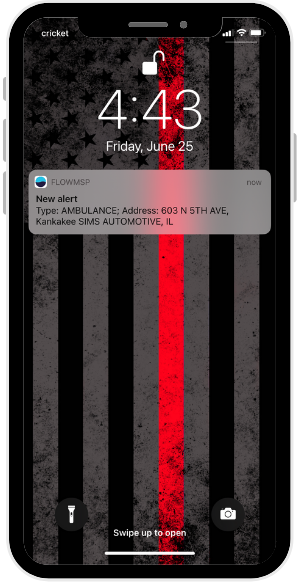
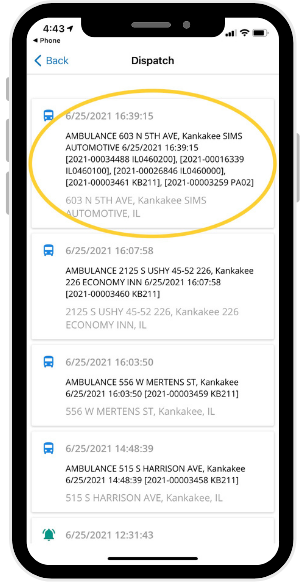
Smartphone lock screen showing a notification for an ambulance alert at 603 N 5th Ave, Kankakee Sims Automotive, IL. Background has a black and gray American flag with a red stripe. Smartphone screen showing a dispatch log with multiple ambulance calls listed by date, time, location, and details such as case numbers and locations.

No one has to waste time typing an address into a mapping program. FlowMSP connects to each department’s dispatch center to provide CAD notifications through the FlowMSP app. Simply tap the notification, and the FlowMSP map will open and pinpoint the incident location.

In most cases FlowMSP alerts arrive before station tones, providing advance alerting via push notifications. Users can receive alerts on any mobile device that connects to the internet. Whether you use an Apple or Android phone, a tablet, or a smart watch, you can receive push notifications.

Mapping and Routing Tools for First Responders

Mapping

FlowMSP uses Google satellite mapping to provide a bird’s eye view of your district. This increases situational awareness for first responders by showing surrounding details. On the other hand, if you prefer a more simplified view, you can turn off the satellite layer.
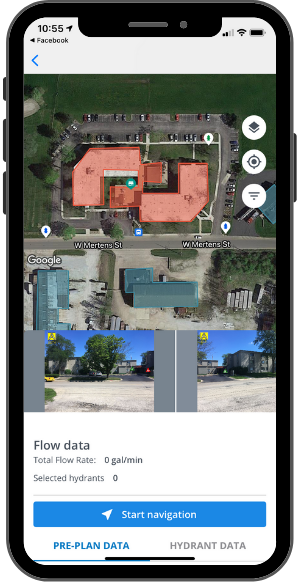
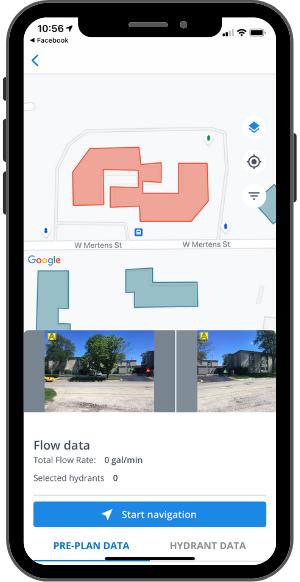
A smartphone screen showing a map interface with highlighted areas, navigation buttons, and flow data at zero gallons per minute.Smartphone displaying a mapping app with a building layout, street view images, flow data showing zero, and options for starting navigation and accessing hydrant data.

Assets such as hydrants and buildings with pre-plans appear as layers on the map. In the photos above, the structure in red is the incident location, and the surrounding structures are blue. Hydrant icons are color-coded according to their flow rate data.

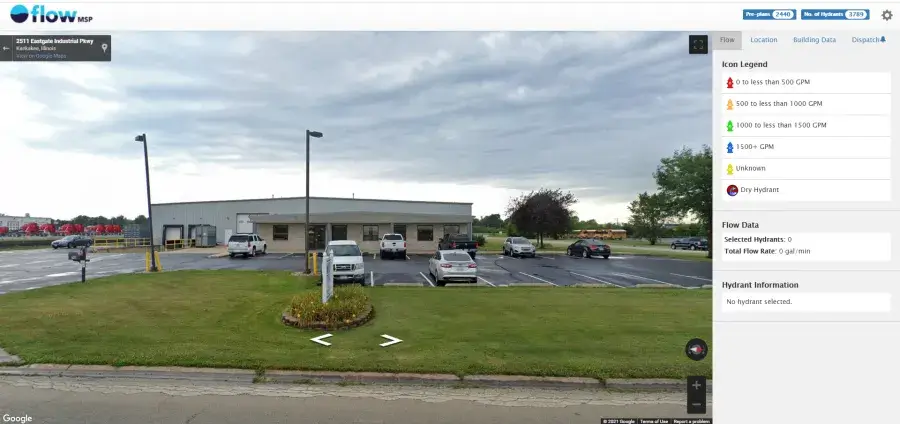
On the desktop version of the FlowMSP app, responders can use Google Street View to view the incident location’s A-side while en route. By dragging the yellow person icon onto the map, you gain a street-level view of objects on the map.
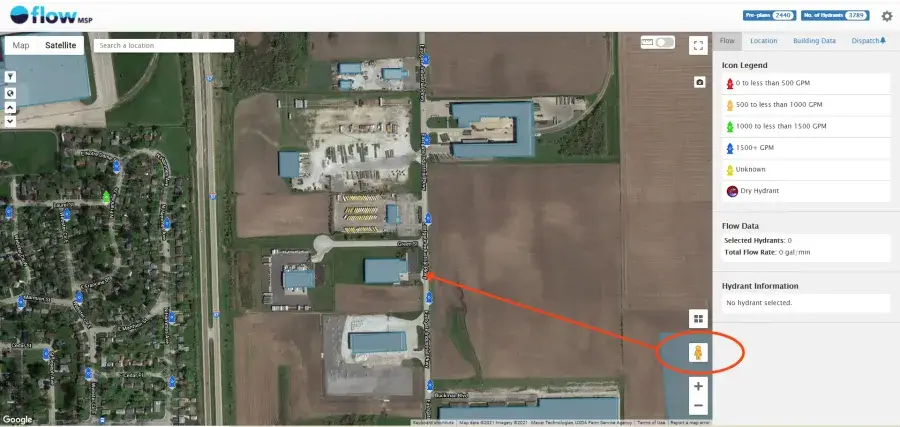
Satellite map view showing a mix of industrial buildings and agricultural fields. A highlighted area is connected by a line to an icon on the right panel, featuring map tools and a legend.

Street view of an industrial building with several parked cars in a lot. A cloudy sky is overhead.

Routing to the Incident

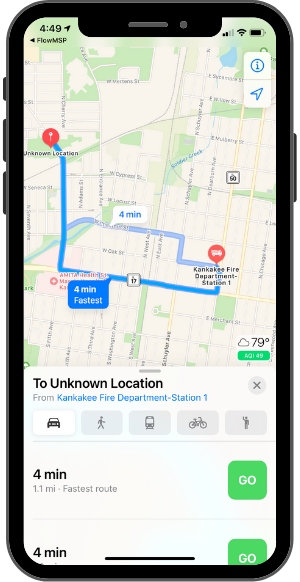
Map on a smartphone screen showing a route from Kankakee Fire Department-Station 1 to an unknown location, with a 4-minute travel time. Weather is 79°F.

From the FlowMSP map, responders can tap the “Start Navigation” button for instant routing from the responder’s current location to the incident location.

Using the mobile device’s native mapping feature (Google Maps for Android, Apple Maps for iOS), the route appears.

Routing works with smart watches to provide responders with turn-by-turn directions. For example, the Apple Watch emits pulses to alert the wearer to an upcoming left or right turn.

By working with users’ familiar devices, the routing feature provides a seamless experience. This results in faster incident response.

Please accept statistics, marketing cookies to watch this video.

How It Works

See FlowMSP’s mobile app mapping and routing tools for first responders work, from dispatch notification, to mapping, to routing.

Incident Response In Action

In this video, Lemont Fire Protection District shows how they use the FlowMSP mobile app during incident response.

Please accept statistics, marketing cookies to watch this video.

Improve Your Department’s Response Time

Give your first responders the mapping and routing tools they need to improve your department’s response time. First, assess your department’s challenges. Then, request a web demo to discuss your department’s goals and see how FlowMSP can help.

Request a Demo