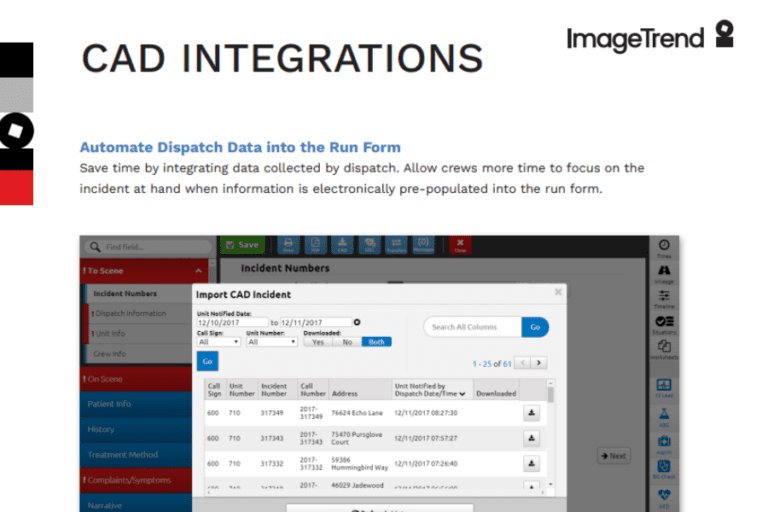
Save time by integrating data collected by dispatch. Allow crews more time to focus on the incident at hand when information is electronically pre-populated into the run form.
Ease-of-Use
Shave time off documentation by using your CAD data. Ensure data accuracy and eliminate duplicate work for your EMS and fire providers. ImageTrend integrates with over 150 different CAD vendors and has the experience to ensure a smooth connection.
ADSi
InterAct
Motorola
Northrop Grumman
Spillman
SunGard OSSI
Central Square
ZOLL
Hexagon
Record Times
Timestamp when specific events occur and send that information directly to the patient record. Times that can be automatically populated include:
Available
Dispatch
En Route
On Scene
At Patient
Leave Scene
Arrive at Destination
Clear Hospital
Back in Service
Data Fields
Every agency has its own list of data. We will work with you to ensure the data and fields specific to your agency are the fields that will populate into your run forms. Data fields may include:
Last Name
Gender
Date of Birth
Street Address
Shift
Role
Destination Code
Incident Type
Agency Number
Apparatus ID
Response Mode to Scene
Insurance Company Name
Getting Started
It’s vital to identify the data fields used most often in your agency to ensure those fields are mapped. The ImageTrend CAD team will provide what we call a workbook, containing lists of data fields that can be selected along with tabs to fill out information specific to your agency (e.g., personnel roles, apparatus, etc.) for mapping and configuration.
CAD data can be obtained via a file export, a query, or it can be sent directly to the ImageTrend web service.
See how CAD integrations eliminate duplicate data entry: