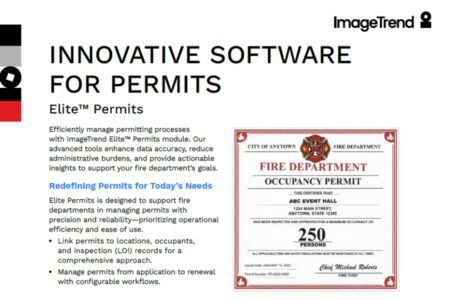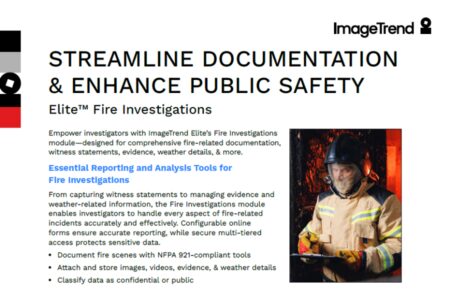


ImageTrend Elite™ Fire’s Locations/Occupants/Inspections Module lets you record data, update, and reference records from virtually anywhere with an internet connection.
Add the optional offline Elite Inspections Field to start and complete offline inspections.
Fire Inspections: A Tiered Model
ImageTrend Elite Fire and Elite Rescue solutions both include powerful inspections and preplan capability. With a tiered model, related items can be accessed quickly without exiting the inspection. Locations includes the physical building or real property address. Occupants includes the entity, such as a business, with the ability to record multiple occupants, such as in a mall or office building. Related preplan information, including hazmat on site, sprinklers, overview, and building information, can be recorded for reference.
Optional Offline Inspections
ImageTrend Elite is a cloud-based system that works anywhere with an internet connection. With the optional Inspections Field, a building inspection or preplan can be started and completed offline and submitted when a connection is restored. An encrypted database on the local device keeps the data secure from unauthorized access.
Permission-Based Access
Administrators can limit edits to existing and new records with permissions. For example, a location address can be set so a firefighter can see it but not change it. The fire inspector would still be able to do other functions, such as add maintenance to the record or update contact information for an occupant. Each permission group can be individually configured for the desired level of access to serve a variety of roles and inspection types.
Now or Later?
Elite’s Locations/Occupants/Inspections module lets you schedule inspections in advance or start them on the fly. Contacts can also be added at any time for keyholders, business owners, building owners, and more. Track an inspector’s hours and an inspection’s start/stop dates and times for billing or other purposes.
Information at Your Fingertips
A touch-friendly interface makes it easy to navigate both data entry and for referencing information. With just a tap or a click, you can see the history of fire calls in Elite Fire or Elite Rescue for the same address. Violation codes can be looked up by text, description, code number, or category right within the application. Leverage automated violation flags based on triggers you define. Administrators can use Inspections’ Supplemental Forms to generate inspection checklists. These forms can be broad or specific to inspection type, with pre-set violation codes defined for each form question.
Visual Pre Plans
Visual Pre Plans empower fire departments to make safer, more informed decisions at every stage. From pre-incident building assessments to real-time on-scene insights, your crews get the right information when it matters most.
- Access floor plans & hazard details
- Map fastest access routes
- Track inspection patterns
- Share critical site information
Secure Images
Photographs can be taken and attached to the violation record within the inspection directly, as well as included in the violation letter template, if desired. These photos can be referenced later during re-inspection and are securely encrypted in the record, not stored in the device’s photo gallery in local storage or in the cloud. Configurable inspection letters can be emailed or printed right from the system.
Other Capabilities and Modules for Elite Fire and Rescue
Analytical
- Continuum®
- Visual Informatics™
- MARS™
- CQI – Fire
Integrations
- CAD
- Slate™
- Staffing/Scheduling
Operational
- Hydrants
- Checklists
- Training & Activities
- Maintenance
- Inventory
- Permits
Explore ImageTrend’s fire inspection and prevention tools:
Related Resources